

AI agent platform for organizations
Your organization's
AI colony.
A colony of AI workers that moves into your organization, knows its role, and works inside a system that checks, tracks, approves and enforces its work.
- Kubernetes
- OpenShift
- Any cloud
- Air-gap ready
- Your model · base URL + API key
01 — the oldest workforce on earth
No ant works alone.
No ant works without rules.
A colony plans, divides the work, checks the result and remembers what it learned. Every ant has a job, and the colony is smarter than any single ant.
That is exactly what an organization needs from AI. Not one clever chatbot, but a team: planning, division of labor, quality control, shared memory and accountability.
02 — the spark
So we gave the colony
a mind.
Take the colony's discipline. Add a language model, tools and a memory. What comes out is a new kind of worker.
Powered by the models you choose: hosted, or open-source models running on your own hardware.
03 — meet your new workforce
Persistent agents.
Not disposable prompts.
Each Antramind persona is a long-lived AI worker with a character, a set of skills and a memory of its own.
- Own containerAn isolated workspace with a dedicated volume.
- Persistent memoryWhat it learns carries over from one task to the next.
- Its own GitAn automatic commit after every task and safe rollback.
- A SOULA defined character, tone and way of working.
04 — they move in
Then the colony moves
into your organization.
Agents live in units, just like your teams do. Every unit gets a manager, and the whole organization gets a mind.
- Manager-BrainAn AI manager for every unit. It plans, splits the work, assigns tasks and reviews the results before it signs off.
- CortexAbove every manager. It supervises the units, schedules work across them and proposes improvements.
- Shared memoryEvery unit remembers together, and nothing leaks between units.
- Agents move inA persona travels as one package with its memory, and runs here under the same rules as every other agent.
05 — a specialist for every role
Every ant
knows its role.
The Manager-Brain recruits the roles a task needs. A new role joins only after you approve it. With Autopilot on, more personas of an approved role start at once.
- Software Architect
- Backend Developer
- Frontend Developer
- QA Engineer
- DevOps
- Designer
- AWS Engineer
- Azure Engineer
- GCP Engineer
- OCI Engineer
- Linux Troubleshooter
- Tier-2 Support
- Researcher
- Video Editor
- Personal Assistant
example · "Build us a booking system"
- The architect designs the system and splits it into parts.
- Backend and frontend developers build their parts in parallel.
- QA tests, DevOps deploys.
- The Manager-Brain reviews the work before it signs off.
06 — the checkpoint
Every tool call
can meet the Judge.
Switch the Judge on and it reviews every tool call before it runs: terminal, files, browser, MCP or a custom skill. It can read every incoming prompt too. It is one more layer next to network isolation, gateway policy and human approvals.
- Rules written in plain language
- On for the whole organization, or for one persona
- Flags calls that break your rules, such as an attempt to leak a secret
- Judge unreachable? By default the call waits and is retried. You may let it run instead, marked unchecked
smart gateway · open policy agent
Only approved tools
get through.
With policy enforcement on, each persona has a signed identity and every MCP tool call passes a smart gateway. OPA checks it against what was approved for that exact persona. Anything else is refused.
- Effective permission = organization AND unit AND persona
- No approved list means every tool is denied
- Model calls pass the gateway too, with per-agent and per-unit budgets
- Fail-closed: if the gate can't decide, nothing passes
internet access · your call
Sealed, filtered
or open.
You decide how much of the internet the colony sees, for the whole organization, and you can change it live.
- SealedNo route to the internet at all. Ideal for air-gapped networks.
- AllowlistOnly approved hosts, such as your package mirror or github.com. Everything else is blocked.
- OpenWhen you choose to. Every outbound connection still passes the egress proxy and is logged.
secrets · isolation
Keys stay locked.
Agents stay in their lane.
- Encrypted secretsStored credentials are encrypted at rest and never shown again. The model provider key stays at the gateway, not in the agents.
- HashiCorp Vault (optional)Connector credentials can live in Vault: an agent reads them with a 15-minute token from its unit's Manager-Brain, never from its files. Docker Compose today.
- Network isolationEach agent runs in its own non-root pod. It reaches DNS, the gateway and one allow-listed way out. Nothing else.
- Your certificatesTLS verification per connection, a central CA store, and unit-level CAs for closed networks.
07 — the red line
Cross the line.
Get frozen.
When the Judge is on and flags a critical breach, such as an attempt to exfiltrate a secret, the agent is frozen at once and the flagged call never runs.
The incident is recorded and a person decides: release the agent or remove it. Anything it tries while frozen removes it at once. And when a persona refuses a task, the refusal goes to a person instead of being pushed back again and again.
08 — the control room
They work.
You approve.
Autopilot is an optional switch, on by default. On, the unit works through its plan by itself. Off, each next stage waits for you. New roles and approvals stay human.
- Approve the plan onceThe manager presents its plan and the roles it needs. You approve up front.
- LayaAnswers small pick-one questions on Autopilot. It may never approve, reject or delete anything.
- Quality gateIn an improvement loop, the next step starts only after the last one passes review. No invented work.
tracked · logged · reviewable
Work leaves
a trail.
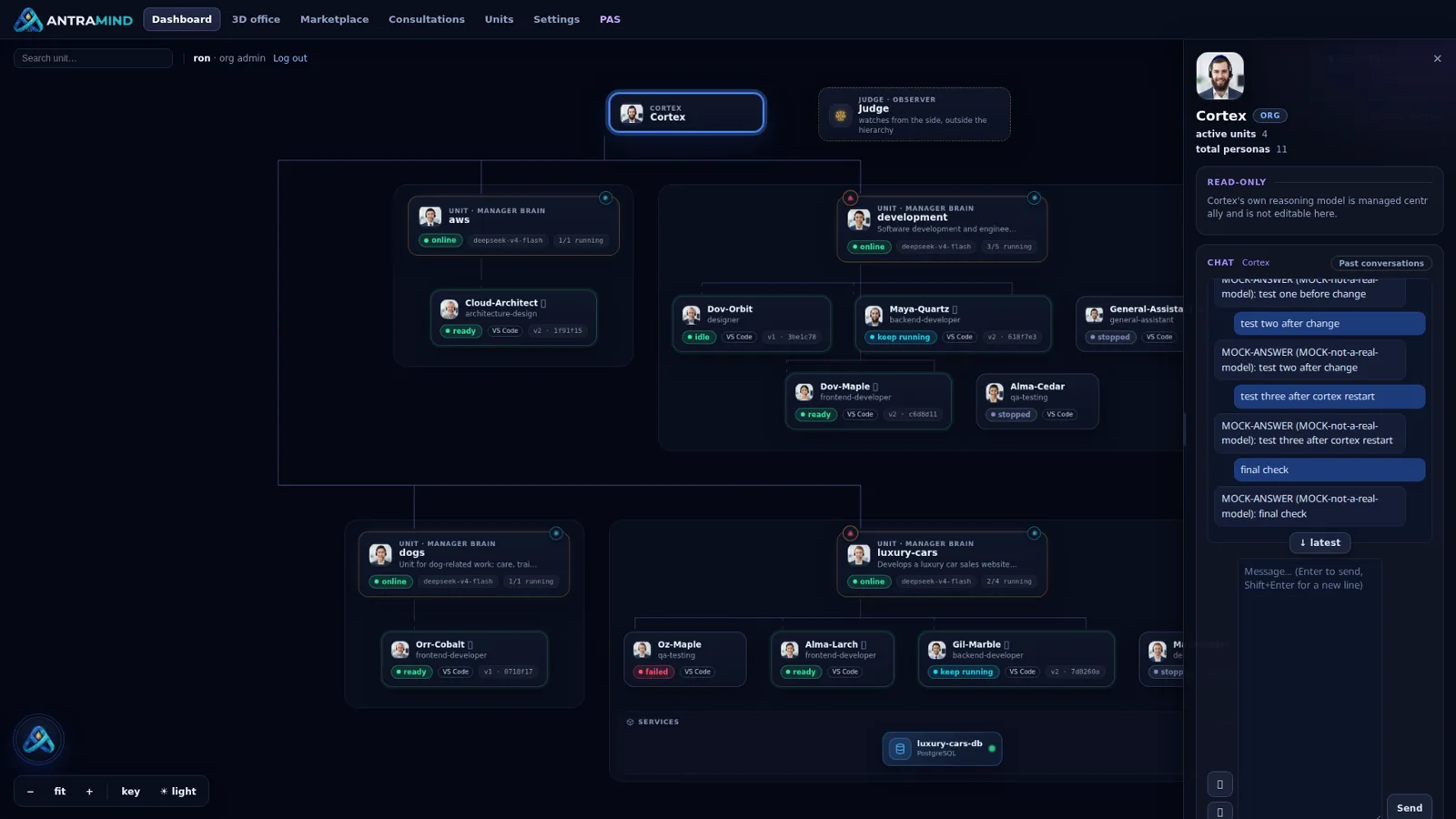
One live org chart of units, agents, services and work. Consultations between agents are recorded with their text, stuck work is surfaced for an admin, every task has a run log, and Langfuse tracing can be switched on.
09 — the colony market
Need a specialist?
Install one.
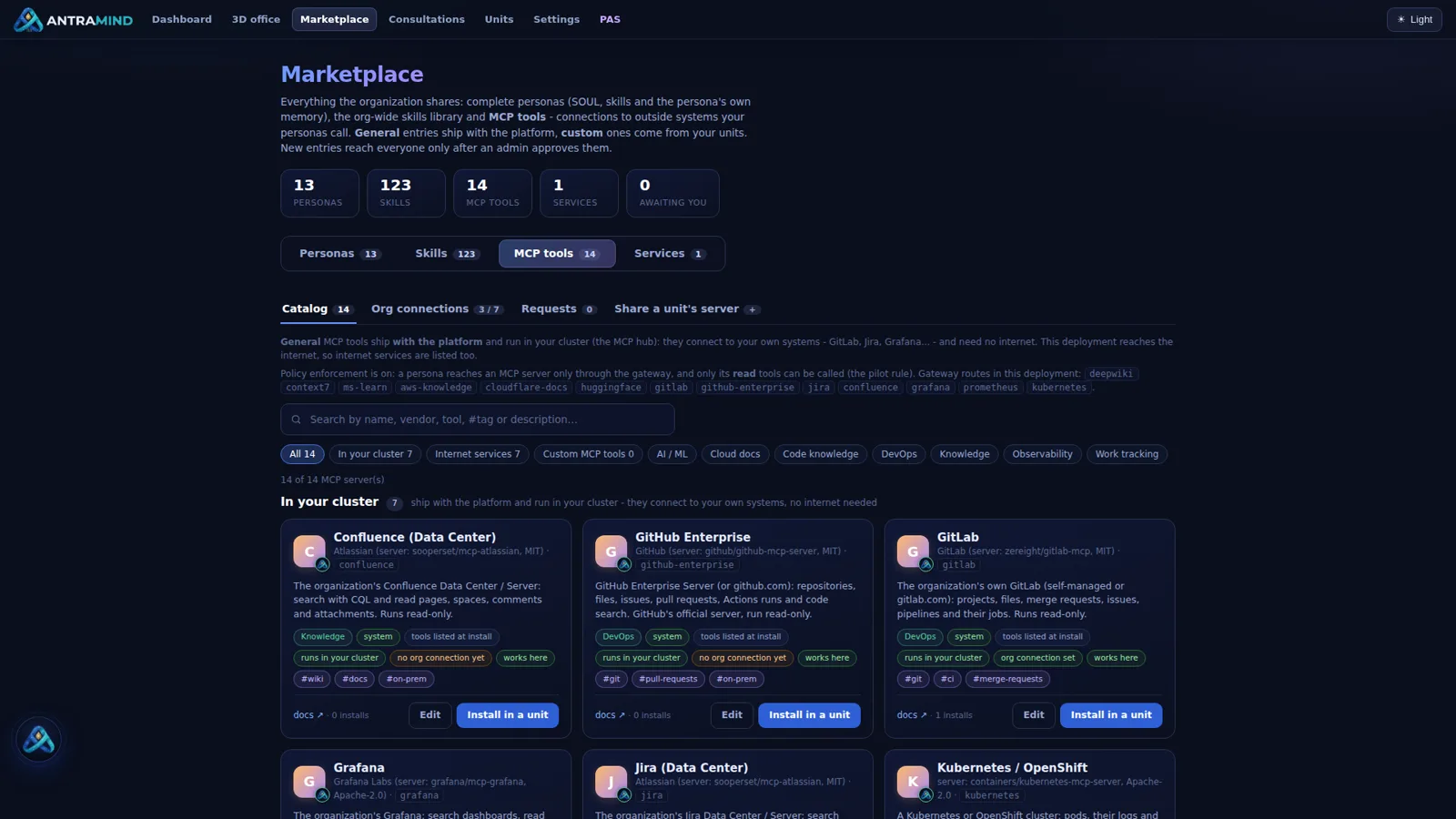
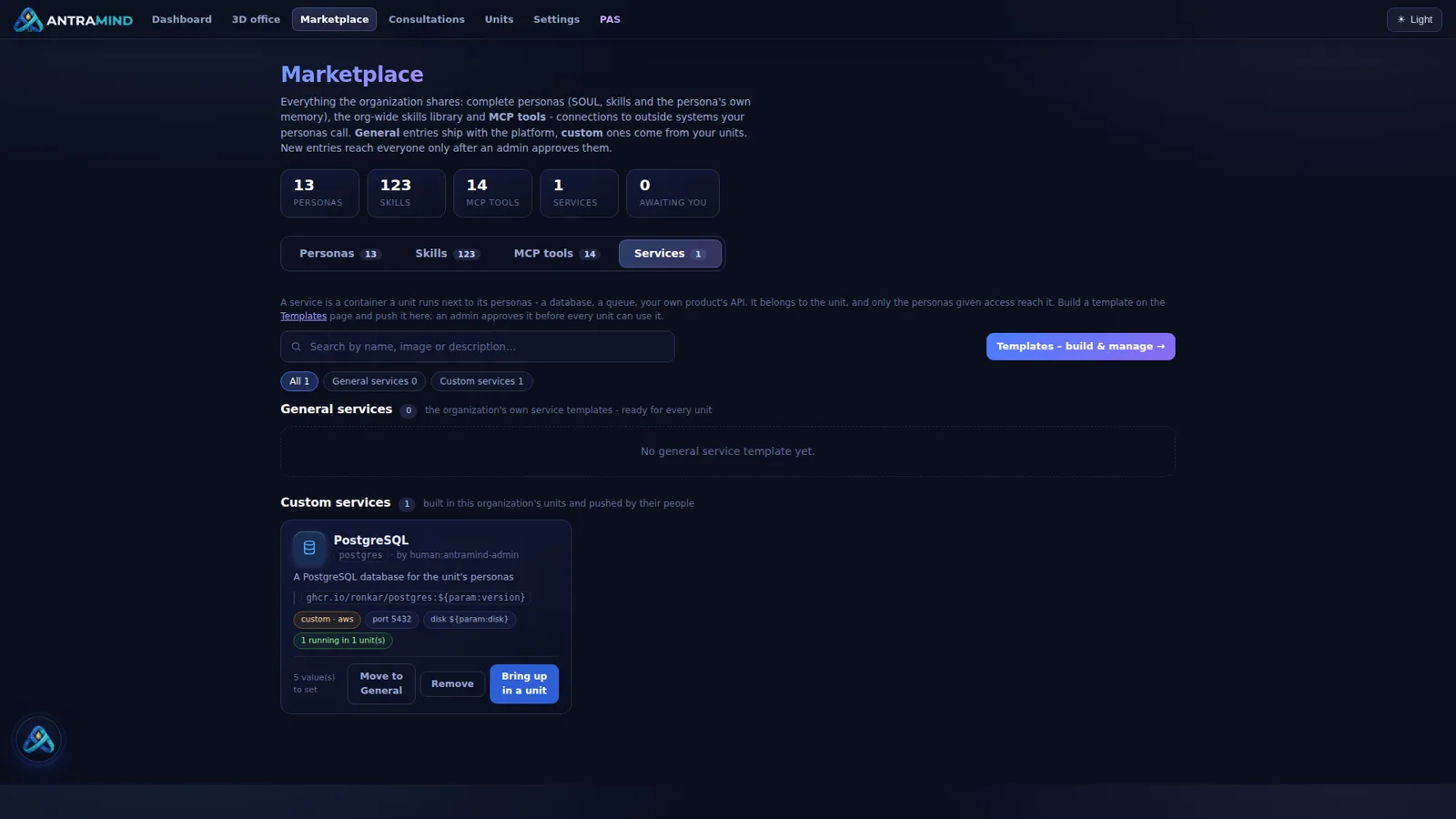
One marketplace for the whole organization. Everything installs into a unit in a click, and everything passes admin review before it reaches the catalog.
Ready-made specialists with their own character, skills and memory. Install one, or share your best persona with the whole organization.
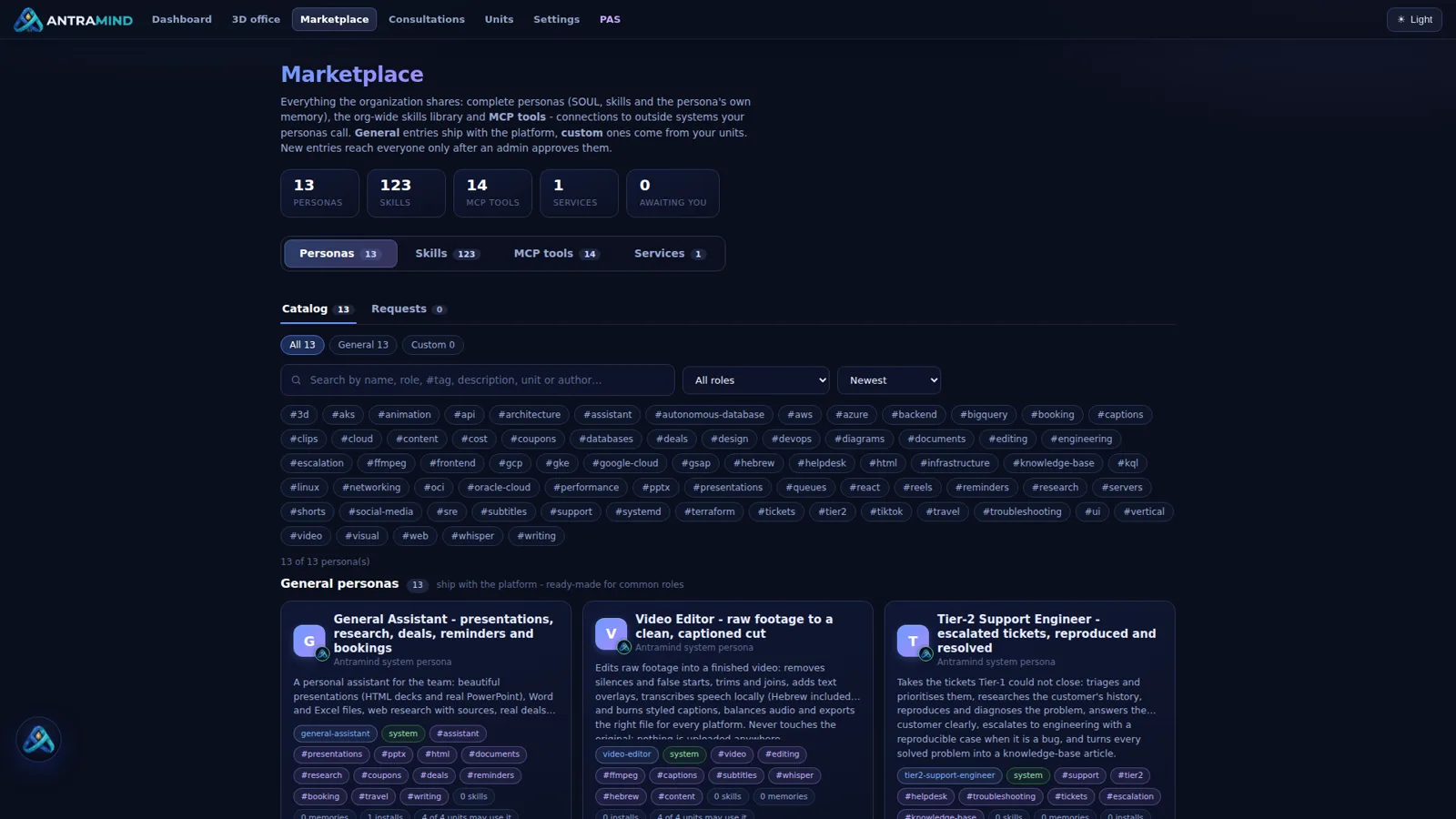
Search before you build. Every agent first checks its unit, the organization's promoted skills and the connected Skills Hub.
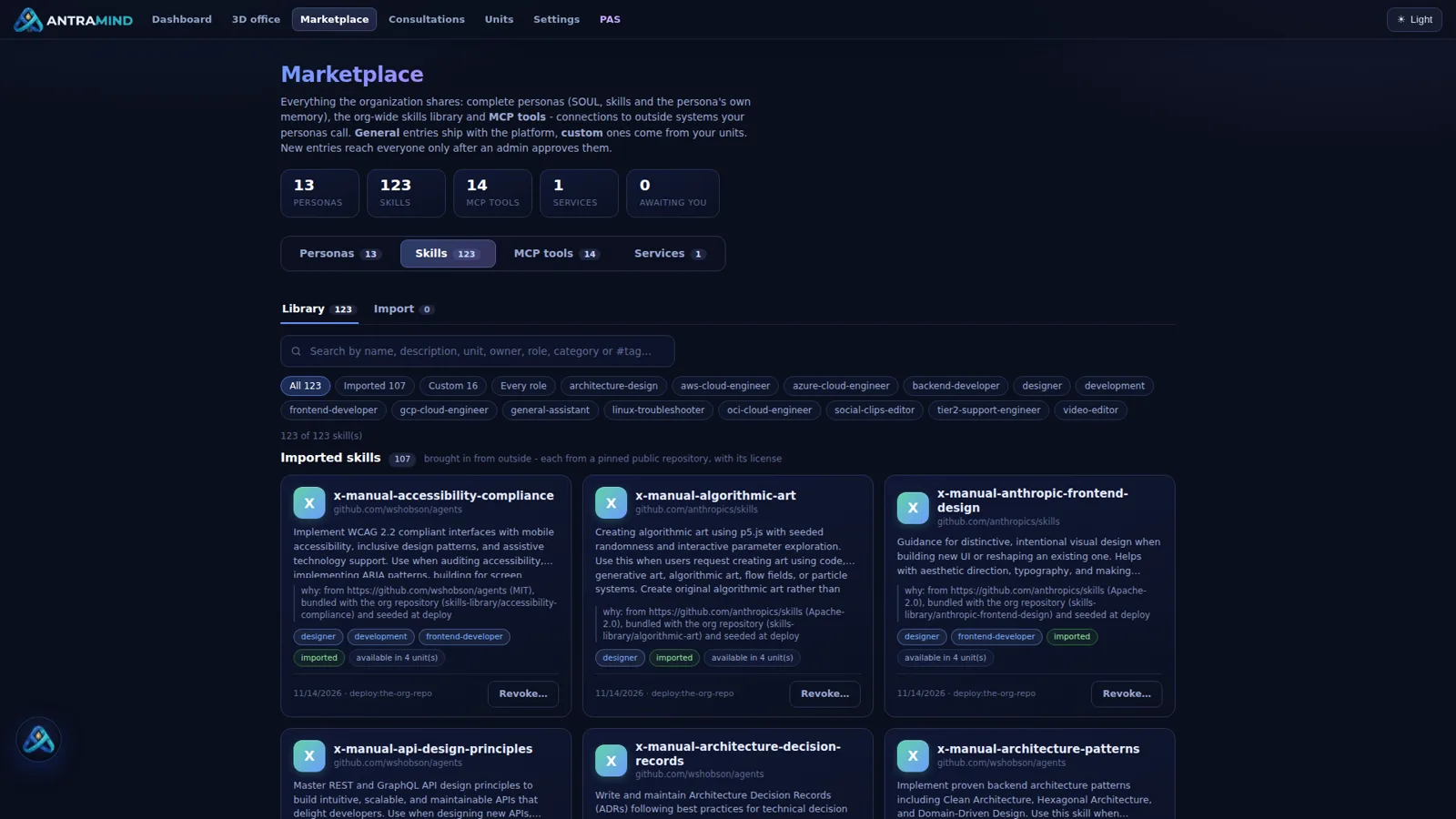
GitHub, GitLab, Jira, Confluence, Kubernetes, Grafana and more, running inside your cluster, pinned and verified.
Terraform templates written and approved by people: databases, queues and even the unit's own product.
10 — the builders
Need a database? A queue?
They build it themselves.
A persona needs PostgreSQL for testing, a message queue or any other infrastructure? It doesn't wait for a ticket.
- The persona asks: "I need a PostgreSQL for testing."
- The Manager-Brain provisions it from an approved Terraform template.
- The team builds on it, through an ordinary connection.
Only people author and approve templates. Agents only use them.
11 — deploy anywhere
In your cloud, or sealed
with no internet at all.
One platform, installed from one Helm chart where your data lives: in a cloud or in your own data centre, connected or closed off from the internet.
- Kubernetes & OpenShiftOne Helm chart with one domain to set, plus an OpenShift overlay. Docker Compose for development.
- Cloud or on-premDocumented for managed Kubernetes in the cloud and for your own servers.
- Air-gap readyInstall from an offline image bundle into your own registry, and run with the internet switched off.
- Any model, just an API keyAny OpenAI- or Anthropic-compatible API: a hosted model in the cloud, or open-source models on vLLM inside your network.
- Your identityKeycloak single sign-on, or LDAP through the built-in Dex broker. Directory groups decide admins and unit access.
- Your mirrorsPackage installs through your own JFrog or Nexus.

Bring the colony
to your company.
AI agents that know their role, keep learning, and work inside a system that checks, tracks, approves and enforces. On Kubernetes, in the cloud or in a closed network, with the model you choose.
Early access is by invitation. Pre-release software, provided as is, no warranty or SLA.
under the hood
Built for real work.
Parallel work
A big job splits into pieces that several agents run side by side, then one synthesis task brings it together.
Deep planning
Specs, stories and a readiness gate. Every task carries its full context.
Smart schedules
Once, interval, daily or cron. A readiness check asks for every approval it needs before the first run.
A personal assistant for everyone
A private agent with its own memory and disk. Just talk to it: it explains and operates the platform, asks before it acts, and stays out of security settings.
Personal Agent Service
Optional: sign in with your own username and get your own personal unit, over a REST API.
Chat with files
Read and create PDF, Word, Excel, PowerPoint, CSV and more, right in the conversation.
VS Code in the browser
Optional: open any agent's workspace in a browser IDE when you need to look inside.
Logs and traces
Structured JSON logs for platform events, and optional Langfuse tracing of model calls.